Tag Archives: st louis headshots

Advanced Techniques for Filming Conference Speakers

Introduction

In the world of corporate events, conferences are perhaps the most pivotal occasions for businesses and organizations to disseminate information, share knowledge, and connect with their target audience. And what makes these conferences truly memorable and impactful? The speakers, of course! Capturing their presentations and speeches in a way that engages and informs the audience is paramount.

Incorporate reaction shots of the audience to capture their responses to the speaker’s message.

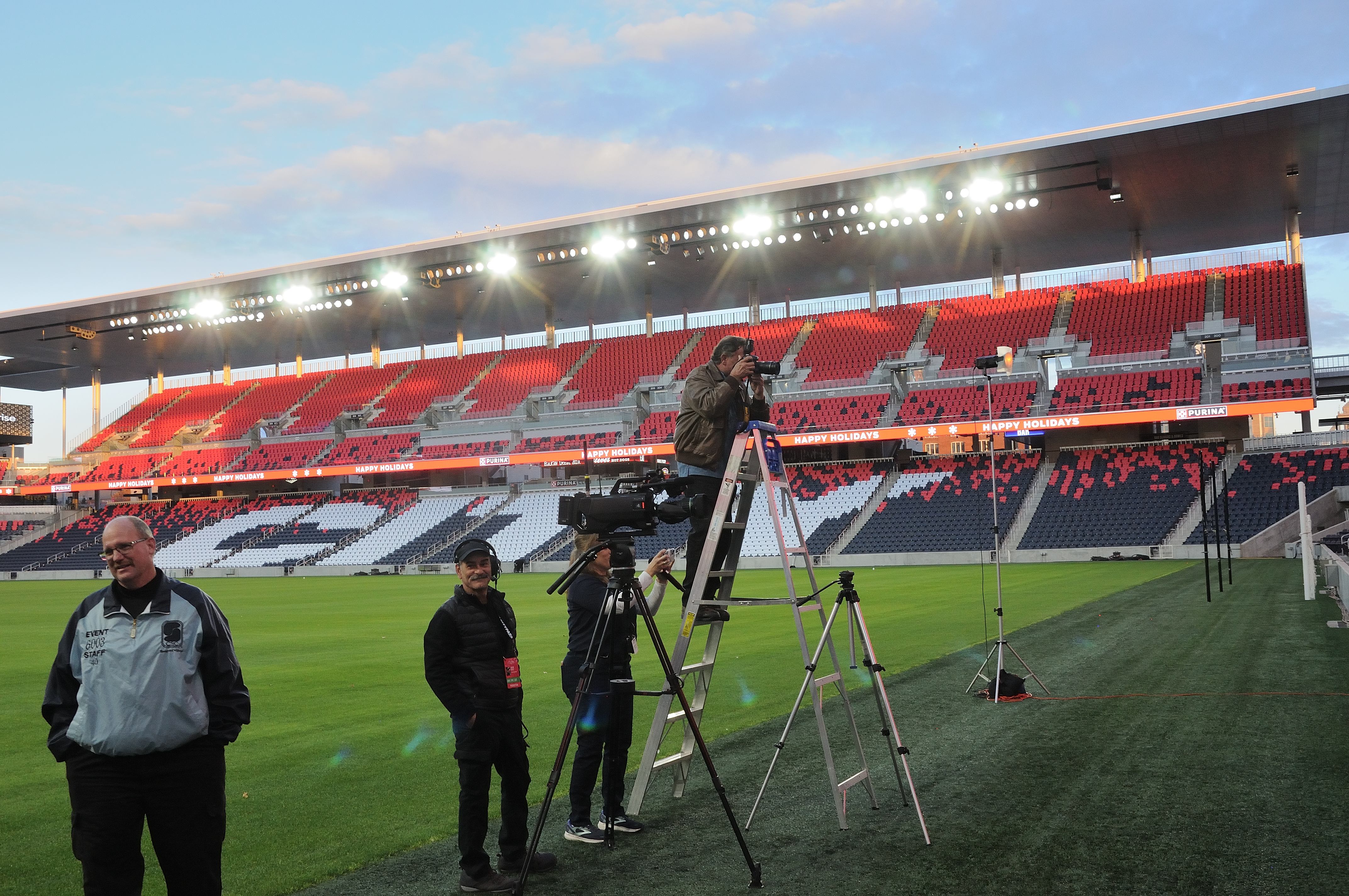
As an experienced photographer and videographer at Angel Eye Productions, I have had the privilege of documenting countless conferences over the years. In this comprehensive guide, I will share advanced techniques and tips for filming conference speakers that will help elevate the quality of your event documentation to the next level.

Preparing for the Shoot

1. Understand the Event Agenda

Before you even set foot at the conference venue, make sure you thoroughly understand the event’s agenda and schedule. This knowledge will help you plan your shots, anticipate key moments, and ensure that you don’t miss any critical presentations.

2. Scout the Location

Visit the conference venue ahead of time, if possible. Familiarize yourself with the layout, lighting conditions, and potential challenges. This will enable you to plan your camera positions and lighting setups in advance.

3. Communicate with Event Organizers

Establish clear communication with the event organizers. Understand their expectations, the key messages they want to convey, and any specific shots or angles they require. This collaboration will help you align your filming strategy with the event’s objectives.

Camera Setup and Equipment

4. Choose the Right Camera and Lenses

Selecting the appropriate camera and lenses is crucial for high-quality conference footage. Consider using a camera with good low-light capabilities and a variety of lenses for different shooting situations. A versatile zoom lens and a fast prime lens are essential additions to your kit.

5. Use Tripods and Stabilizers

For steady shots, invest in quality tripods and stabilizers. Tripods are particularly important when capturing long presentations to prevent shaky footage. Stabilizers, such as gimbals or steadicams, can add dynamic movement to your shots.

6. Capture High-Quality Audio

Good audio is half the battle in conference videography. Use external microphones, such as lavalier mics or shotgun mics, to capture clear and professional sound. Test your audio equipment thoroughly before the event to avoid any surprises.

7. Backup Equipment

Always have backup cameras, lenses, batteries, and memory cards on hand. Technical glitches can happen, and having redundancy ensures you won’t miss any crucial moments.

Lighting Techniques

8. Utilize Natural Light

Whenever possible, leverage natural light. Position your speakers near windows or well-lit areas to achieve a flattering and authentic look. However, be mindful of changing lighting conditions throughout the day.

9. Use Soft Lighting

If you need to supplement natural light or work in poorly lit environments, use soft lighting sources like diffused LED panels or softboxes. Avoid harsh shadows and unflattering highlights on your subjects’ faces.

10. Three-Point Lighting

For indoor setups, employ the classic three-point lighting technique. This includes a key light, a fill light, and a backlight. Properly balanced lighting enhances the visibility of your speakers and adds depth to the video.

Framing and Composition

11. Rule of Thirds

Apply the rule of thirds to create visually appealing compositions. Divide the frame into a 3×3 grid, and place your subject along the intersections or lines. This technique adds balance and interest to your shots.

12. Vary Your Shots

Avoid monotony by using a variety of camera angles and shot sizes. Capture wide shots of the entire stage, medium shots of the speaker, and close-ups of their facial expressions and hand gestures. This diversity keeps the audience engaged.

13. Focus on Reaction Shots

Incorporate reaction shots of the audience to capture their responses to the speaker’s message. This can add depth and emotional resonance to your footage.

Filming Strategies

14. Continuous Recording

Always keep your camera rolling during presentations. You never know when a spontaneous moment or a valuable insight may occur. Continuous recording gives you the flexibility to choose the best segments later during post-production.

15. Stay Discreet

Be unobtrusive while filming. Use quiet camera equipment and move discreetly to avoid distracting the audience or the speaker. Silence your camera’s autofocus and disable any unnecessary beeps or indicators.

Post-Production Tips

16. Organize Your Footage

After the event, organize your footage meticulously. Create folders for each presentation or speaker and label your clips with clear, descriptive names. This will save you time during editing.

17. Edit for Clarity

During the editing process, prioritize clarity and coherence. Trim any unnecessary content, such as long pauses or technical difficulties. Enhance audio quality, add subtitles if necessary, and color correct your footage.

18. Add Graphics and Titles

To reinforce key points and improve the overall visual appeal, consider adding graphics, lower-thirds, and titles to your video. These elements can make your conference footage more engaging and informative.

19. Deliver in Multiple Formats

In today’s multimedia landscape, it’s essential to provide your clients with versatile content. Export your video in various formats, such as full HD, 4K, and different aspect ratios, to accommodate different platforms and devices.

Conclusion

Filming conference speakers requires a combination of technical expertise, careful planning, and artistic sensibility. By following these advanced techniques and tips, you can ensure that your conference documentation stands out and effectively conveys the event’s message.

As a full-service video and photography production company, Angel Eye Productions has worked with many businesses, marketing firms, and agencies in the St. Louis area for their corporate photography and video.

Whether you need assistance with camera setup, lighting, or post-production, our team at Angel Eye Productions is equipped with the knowledge and experience to meet your conference documentation needs. We offer full-service studio and location video and photography, as well as editing and post-production services. Our ability to customize productions for diverse media requirements and repurpose your branding content sets us apart. We are well-versed in all file types, styles of media, and accompanying software.

Don’t settle for ordinary conference footage; elevate your documentation with Angel Eye Productions. Contact us today to discuss your upcoming conference and let us help you capture your speakers’ messages with professionalism and creativity. Together, we’ll make your event unforgettable.
314-913-5626 stlouisvideos@gmail.com

Tutorial and instructional videos provide customers with the best possible experience by getting in front of any questions or confusion.

Leveraging tutorial and instructional videos, businesses can create a more seamless customer experience and provide a valuable resource to their customers.

Tutorial and instructional videos are powerful tools for businesses to use to provide an enhanced customer experience. With the help of these videos, businesses can ensure that customers have an easier time understanding and utilizing their services or products. By leveraging tutorial and instructional videos, businesses can create a more seamless customer experience and provide a valuable resource to their customers. This can result in higher customer satisfaction, increased product usage, and improved customer loyalty. Furthermore, tutorials and instructional videos can help businesses save time and money by reducing the need for customer service and support. By creating engaging and informative videos, businesses can ensure that their customers have the ultimate experience with their products and services.

What are tutorial and instructional videos?

Tutorial and instructional videos are short videos that show customers how to properly use a product or service, or how to accomplish a task. These videos can be used to provide instructions for any number of business functions, including product usage, onboarding, sales and marketing, and more. Additionally, tutorial and instructional videos can be used to help customers troubleshoot issues they may be experiencing with a product or service. Tutorial and instructional videos can be live action or animated, and can be hosted on a business’s website or a third-party video platform, such as YouTube. Tutorial and instructional videos can be used to provide a wealth of information to customers, including behind-the-scenes looks at company operations, assembly and construction processes, repair and maintenance tips, and more. Tutorial and instructional videos can vary in length and complexity and can include voiceover, graphics, and animations to help customers better understand a product or service and how to use it.

Benefits of leveraging tutorial and instructional videos

By leveraging tutorial and instructional videos, businesses can provide customers with the information they need and the resources they require to successfully use their products or services. With these videos, customers can gain a better understanding of how to use a product or service, and can have an easier time troubleshooting any issues they may be experiencing. Tutorial and instructional videos can also help businesses improve their sales and conversion rates by providing potential customers with a better understanding of what they are purchasing, and why they would want it. Tutorial and instructional videos can help reduce the need for customer support by providing customers with the information and resources they need to correctly use a product or service. By providing customers with the information and resources they need, businesses can cut down on the amount of time they spend on customer support calls and inquiries, which can save them time and money. By leveraging tutorial and instructional videos, businesses can deliver a more seamless customer experience and provide valuable resources to their customers, making the overall experience more enjoyable.

Tutorial and instructional video statistics

According to a study conducted by Animoto, 76% of consumers want more video content from businesses, and 78% of consumers view video as the best way to learn about a product or service. Additionally, the same study found that more than 70% of consumers say they have watched a tutorial or instructional video to learn how to use a product or service. Furthermore, customers are more likely to purchase from businesses that provide video content, with 80% saying they prefer to purchase from brands that use video. Furthermore, the same study found that consumers prefer video content that is between 30 and 60 seconds long, with 59% of consumers saying 30-seconds is the ideal length for a video. Another study found that video length is not the only important factor when creating video content. Rather, the study found that visual content is eight times more likely to be remembered than audio-only content. With this in mind, businesses can create visually appealing and engaging tutorial and instructional videos to help customers better understand their products or services and increase brand awareness.

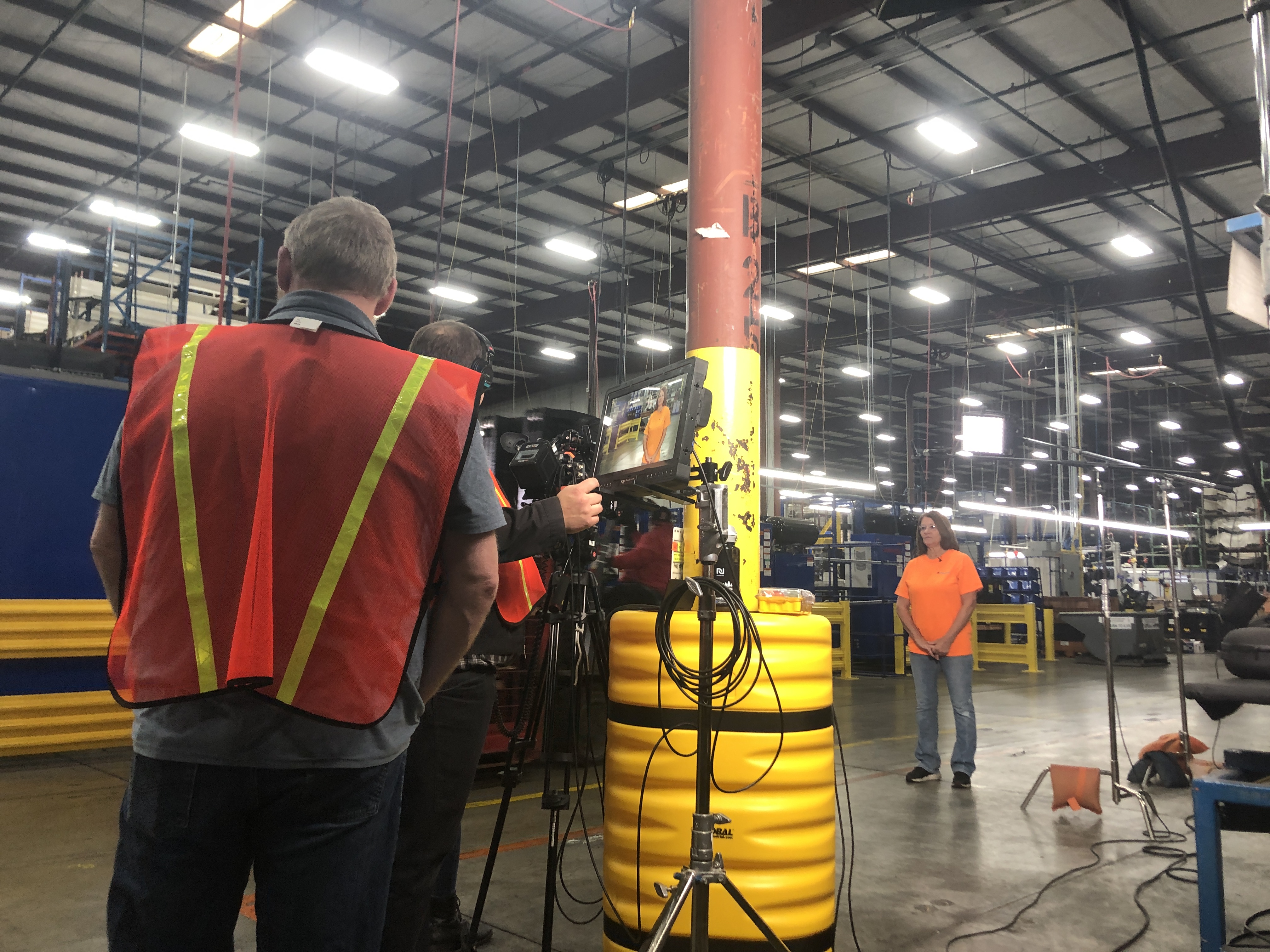
St Louis Video Crew recording an instructional video for social media and the client's websites
St Louis Video Crew recording an instructional video for social media and the client’s websites

Strategies for creating tutorial and instructional videos

When creating tutorial and instructional videos, businesses should first determine what information or resources they want to provide to customers through videos. Once businesses have a list of topics, they can start brainstorming ideas for their videos. Some businesses may choose to create videos from start to finish in-house with their own employees, while others may opt to outsource video creation to a video production company. If a company chooses to outsource video creation, they should make sure that the video production company they hire understands their brand and target audience, and can create videos that meet their needs and align with their brand image. Once a business has determined how they want their videos to look, businesses can begin creating content. At this point, businesses can work with their marketing team or other relevant team members to brainstorm ideas for videos. Once ideas have been gathered, businesses can create storyboards for the videos to determine how long the videos will be, what visuals they will feature, and how they will be structured. After storyboards have been created, businesses can begin to create the videos.

Developing an effective tutorial and instructional video plan

Before businesses create any tutorial and instructional videos, they should create an overall video plan. A video plan can help businesses determine what types of videos they want to create, why they are creating the videos, and who they need to involve in the creation of the videos. When creating a video plan, businesses should consider their target audience and the demographic they are trying to reach. Additionally, businesses should consider what type of video content would be most beneficial for their customers, and whether tutorial and instructional videos would be helpful resources for their customers. Businesses can also consider what platform they want to host their videos on, as well as how they want their videos to look and sound. With a video plan in place, businesses can create effective tutorial and instructional videos that deliver the information customers need to better utilize a product or service.

Tips for creating effective tutorial and instructional videos

When creating tutorial and instructional videos, businesses should make sure that their videos are as engaging and informative as possible. To ensure that customers get the most out of their videos, businesses should consider a few key factors when creating these videos. First, businesses should keep their videos brief, keeping them under two minutes. Additionally, businesses should make sure that their videos are visually appealing, using appropriate graphics and visuals to help customers better understand the content being presented. Businesses can also incorporate humor, sound effects, and music into their videos to keep them engaging, and add variety to their videos to keep them fresh. Furthermore, businesses should make sure that their tutorial and instructional videos are catered to their target audience, making sure to use language your customers will understand, while also remaining authentic and genuine. By keeping these factors in mind when creating their videos, businesses can ensure that their videos are engaging, informative, and appealing to their customers. This will help ensure that customers get the most out of their resources, and have an easier time utilizing a product or service.

Best practices for delivering tutorial and instructional videos

Once businesses have created their tutorial and instructional videos, they should make sure that customers are able to easily find these videos. This can be done by hosting videos on a business’s website, as well as on a third-party video hosting platform. Additionally, businesses can create a video library page on their website to house all of their videos, making them easy to find and access. Hosting videos on third-party video platforms, such as YouTube, can also provide businesses with the added benefit of Google Authorship, which can help businesses build their brand. Furthermore, businesses can create playlists of their videos to help customers find videos more easily. This can be done by using keywords in the video title and description to ensure that customers can easily find videos that are relevant to them. Additionally, businesses can upload videos to relevant and popular video channels, such as YouTube. By creating and hosting tutorial and instructional videos, businesses can provide customers with valuable information and resources, while also helping themselves rank higher in search results.

Conclusion

Leveraging tutorial and instructional videos can be a great way for businesses to provide an enhanced customer experience, and deliver a seamless brand experience. With the help of these videos, businesses can ensure that customers have an easier time understanding and utilizing their products or services, which can result in higher customer satisfaction, increased product usage, and improved customer loyalty. Furthermore, tutorial and instructional videos can help businesses save time and money by reducing the need for customer service and support. By creating engaging and informative videos, businesses can ensure that their customers have the ultimate experience with their products and services.

314-913-5626
Shari Haller
St Louis Video Producer

Corporate Video Production Company

Video production for specific industries requires a special type of production. Unlike most products which are being sold to the general public, industry specific services, devices and equipment are generally being marketed to highly target audiences. The producer must focus more on functionality and feature details than other product lines which may wish to focus more on the aesthetic or emotional components.

Your video producer will log all of your footage that was captured. Creating this paper edit to follow the approved script or shot list is important to do before editing in the studio. From there, your producer will work to edit your video adding necessary graphics, animation or type on screen. Upon completion your video will be uploaded to a video repository for your review.

314-892-1233
Rob Haller, St Louis Video Producer
St Louis Video Producer
robh@hallerconcepts.com